
WORKOUT TIMERS
Rest timer between sets
Rest the right amount between strength sets, with one-tap presets and a sets counter
Rest between sets is easy to get wrong: a quick look at your phone turns 90 seconds into 4 minutes. A rest timer keeps your sessions consistent, and consistent rest makes your progress easier to see.
| Goal | Typical rest |
|---|---|
| Strength, heavy lifts | 2 to 3 min |
| Muscle size | 1 to 2 min, longer for big lifts |
| Muscular endurance | Short: under 1 to 2 min |
Cero’s countdown
- Four presets: 0:30, 1:00, 1:30 and 2:00 to start with. Touch and hold a preset to change it.
- A sets counter, to keep track of your sets while you rest.
- Any length up to 30 minutes and 59 seconds.
- On your Apple Watch too, on its own, so your phone can stay in your bag.
How to use it
- Open Countdown in Cero, and touch and hold a preset to set your usual rest, such as 2:00 for squats.
- Finish your set, tap the preset and add one to the sets counter.
- Start the next set when the countdown ends.
Longer rests aren’t lazy: in a trial with trained men, 3-minute rests between sets led to more strength and muscle growth than 1-minute rests 2. Read more in how long to rest between sets.
Sources
- American College of Sports Medicine. Progression Models in Resistance Training for Healthy Adults. Med Sci Sports Exerc. 2009;41(3):687-708. doi.org/10.1249/MSS.0b013e3181915670
- Schoenfeld BJ, Pope ZK, Benik FM, et al. Longer Interset Rest Periods Enhance Muscle Strength and Hypertrophy in Resistance-Trained Men. J Strength Cond Res. 2016;30(7):1805-1812. doi.org/10.1519/JSC.0000000000001272
YOUR NEXT SESSION STARTS HERE
Bring the effort.
We’ll keep the time.
Cero is free to download for iPhone, iPad and Apple Watch.
Download Cero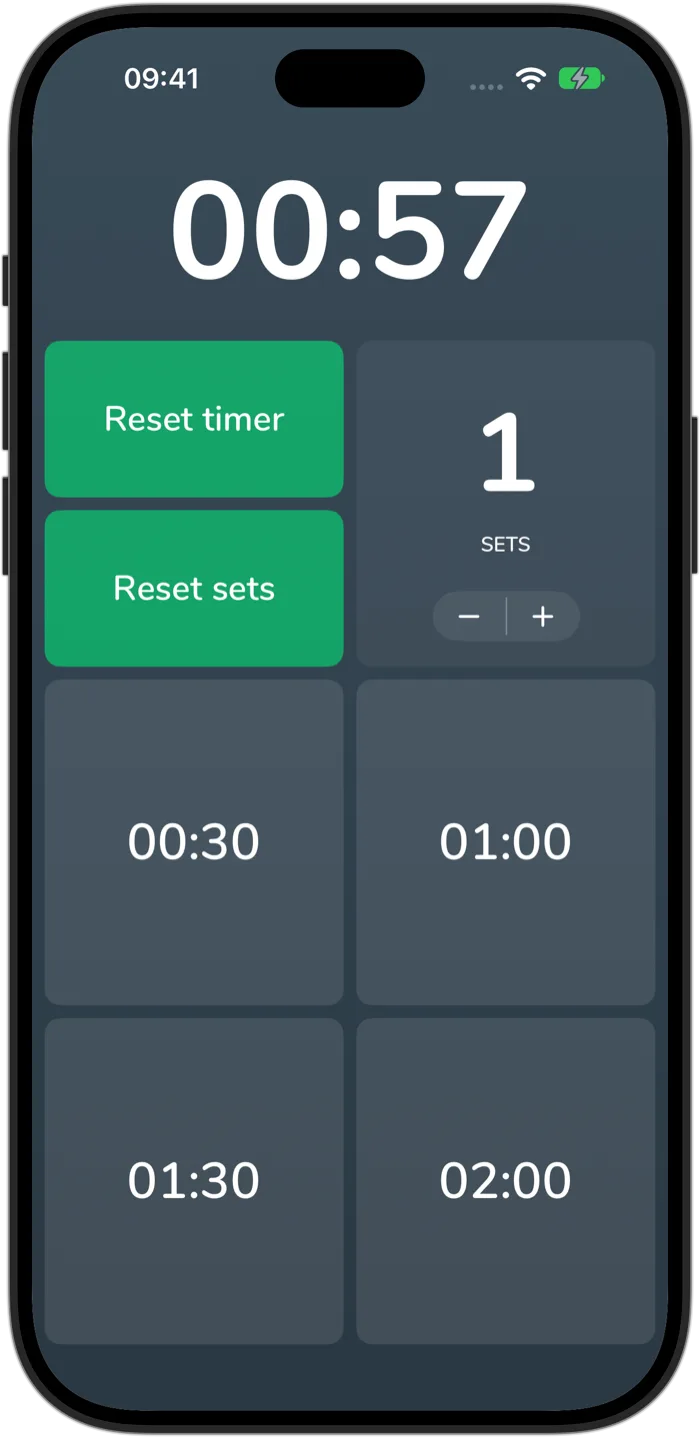
Cero is a timer, not a medical device. If you’re new to hard exercise, are pregnant or have a health condition, check with your doctor first, and stop if you feel unwell.