
WORKOUT TIMERS
Interval timers for every workout
Tabata, HIIT, EMOM, AMRAP, boxing rounds, HYROX, circuits and running intervals: how each works and how to set it up in Cero
Most interval workouts come down to three numbers: how long you work, how long you rest, and how many rounds you do. Cero turns them into a timer you can start in a tap, with clear colors, sounds and voice cues so you can keep your eyes on the workout.
| Workout | Work | Rest | Rounds |
|---|---|---|---|
| Tabata | 20 s | 10 s | 8 |
| HIIT 40/20 | 40 s | 20 s | 8 to 12 |
| EMOM | Your reps | The rest of the minute | 10 to 20 |
| AMRAP | 12 to 20 min | None | As many as possible |
| Boxing | 3 min | 1 min | 3 to 12 |
| Running 4×4 | 4 min | 3 min | 4 |
Two ways to build a timer
- The simple timer: set high intensity, low intensity and sets, with an optional warm-up and cool down. Most workouts on this page need nothing more.
- The advanced timer: build every interval yourself, with its own name, color, icon and intensity level, or start from a quick template: Tabata (20/10), EMOM (1–3 min), Work / Rest, Rounds for time and Run + station.
Save your timers, duplicate and reorder them, and share them with friends or a class as a Cero file or a QR code.
- Free toolOnline interval timerSet work, rest and rounds, press Start and follow the beeps. Free, in your browser
- Workout timerTabata timerEight rounds of 20 seconds hard and 10 seconds easy: the four-minute workout, and how to time it
- Workout timerHIIT timerSet your work, rest and rounds once, and let the timer run the session
- Workout timerEMOM timerA cue at the top of every minute: do your reps, rest for what’s left, go again
- Workout timerAMRAP timerOne clock counting down, as many rounds as you can fit in, and a counter to tally them
- Workout timerBoxing round timerRounds and rest like a real bout, for bag work, pads and shadowboxing
- Workout timerHYROX training timerPractice the run and station rhythm of a hybrid race with Cero’s Run + station template
- Workout timerCircuit training timerWork through each station on the clock, with rest between stations and between rounds
- Workout timerRunning interval timerHard and easy segments by time, cues in your ears and heart rate on your wrist
- Workout timerWOD timerFor Time, EMOM, AMRAP and Tabata, the four clocks behind most workouts of the day, in one app
- Workout timerMMA and Muay Thai round timerRounds and rest for MMA, Muay Thai and kickboxing, for bag work, pads, drilling and sparring
- Workout timerJump rope timerSkipping intervals from your first 30 seconds to 3-minute rounds, and how to time them
- Workout timerKettlebell timerSwings, snatches and complexes on the clock: EMOM, Tabata and intervals
- Workout timerRowing interval timerIntervals for the rowing machine, timed by the clock or by the distance
- Workout timerCycling interval timerIndoor cycling and spin intervals, from short sprints to 4-minute efforts, with heart rate if you want it
- Workout timerNorwegian 4×4 interval timerFour 4-minute intervals at 85 to 95% of maximum heart rate, with 3 easy minutes between them
- Workout timerSprint interval timerShort, all-out sprints with long rests: the format behind the research on very short workouts
- Workout timerInterval walking timerThree minutes fast, three minutes slow, five times: the walking workout from a Japanese study
- Workout timerRest timer between setsRest the right amount between strength sets, with one-tap presets and a sets counter
- Workout timerPlank timerTimed holds and short rests for front planks, side planks and a full core routine
- Workout timerStretching timerTimed holds and changeovers for a stretching or mobility routine, so you can close your eyes and breathe
YOUR NEXT SESSION STARTS HERE
Bring the effort.
We’ll keep the time.
Cero is free to download for iPhone, iPad and Apple Watch.
Download Cero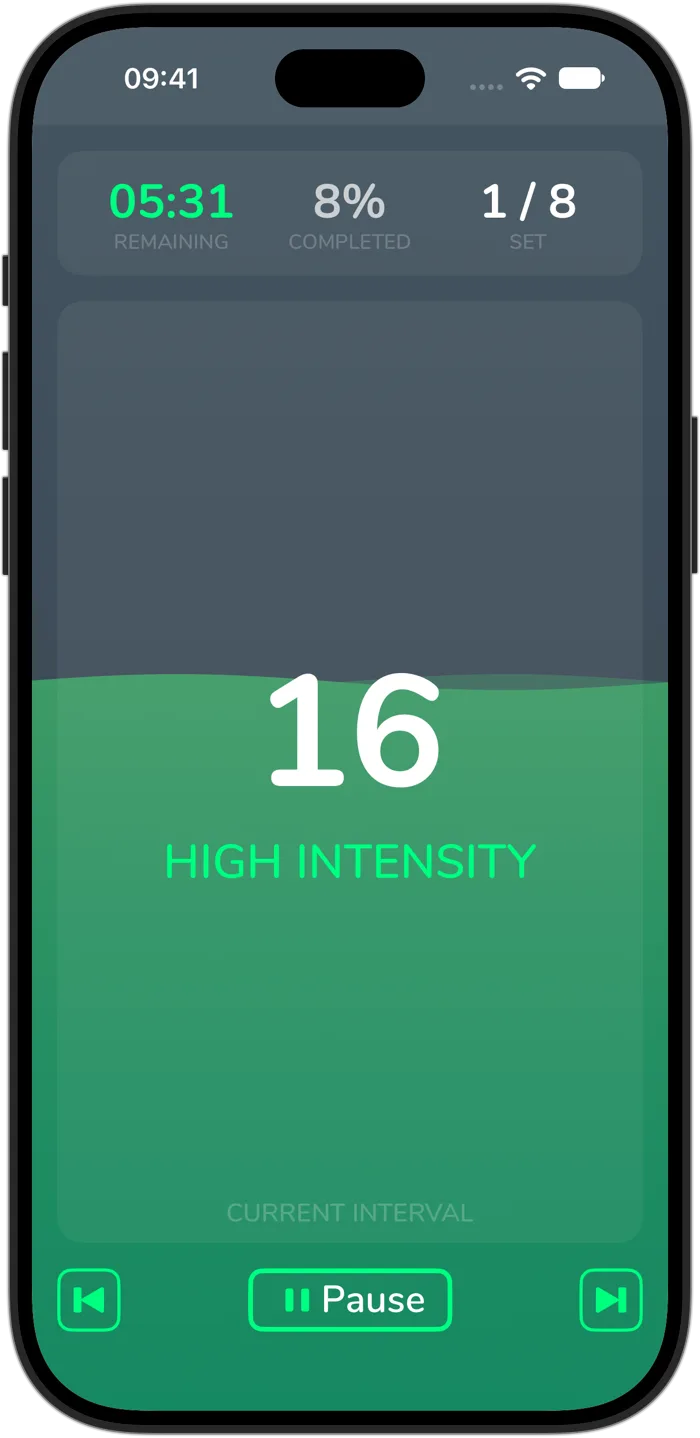
Cero is a timer, not a medical device. If you’re new to hard exercise, are pregnant or have a health condition, check with your doctor first, and stop if you feel unwell.