
FEATURES
Workout history and Apple Health
Every completed session in one place, a recap to share, Apple Health, and export to CSV or PDF
Your history
- Every completed workout, with when it started, how long it took and how long it was planned to take.
- The intervals of each session.
- Repeat a past workout in a tap.
- Export your history as a CSV file for a spreadsheet, or as a PDF.
- Delete one session, or clear them all.
A recap to share
When a workout ends, Cero shows a recap: the total time, the sets, the time spent working and an estimate of the calories, with a chart of the session. Share it with your friends or your coach.
Apple Health
Turn on Save Workouts (Health) in Settings, and Cero saves your completed workouts and estimated calories to Apple Health, so they appear in the Health app beside your other workouts.
Stopwatch history
Stopwatch sessions are saved too, with their laps, when you reset a stopped stopwatch.
YOUR NEXT SESSION STARTS HERE
Bring the effort.
We’ll keep the time.
Cero is free to download for iPhone, iPad and Apple Watch.
Download Cero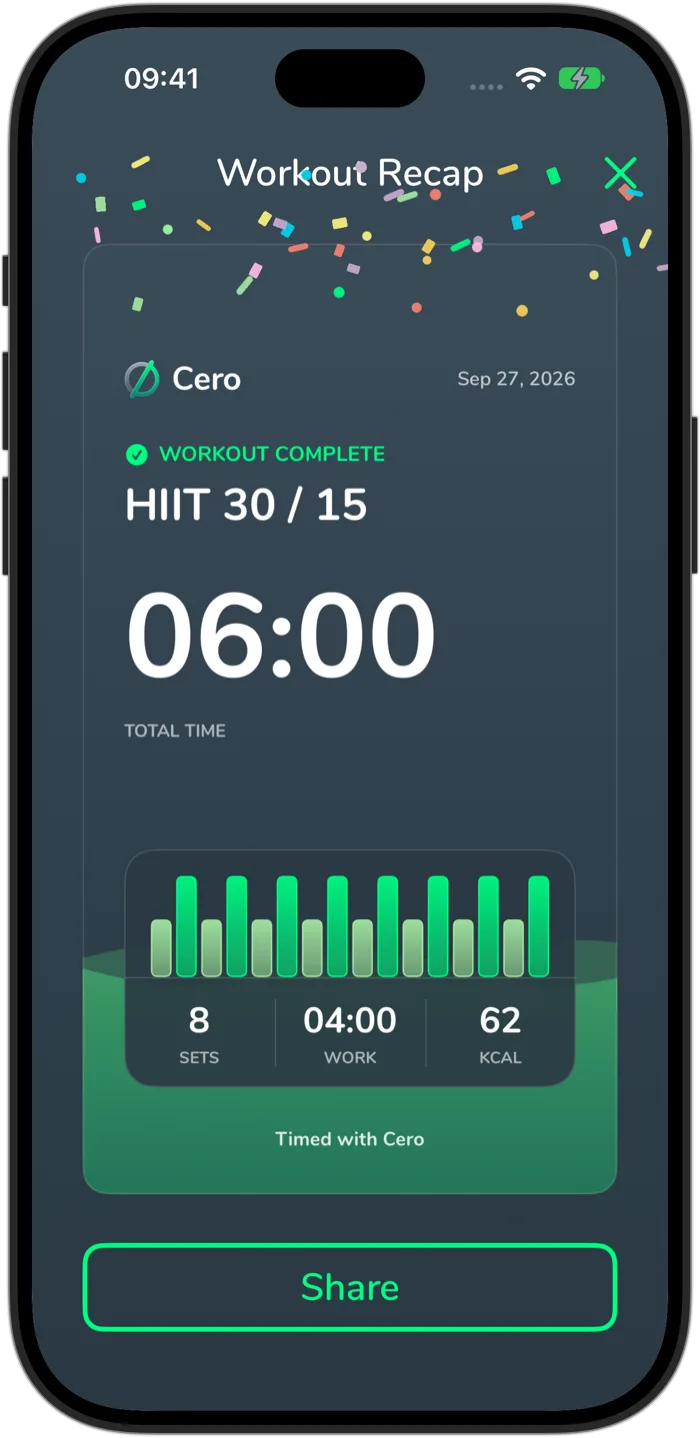
Cero is a timer, not a medical device. If you’re new to hard exercise, are pregnant or have a health condition, check with your doctor first, and stop if you feel unwell.